4. DNS zones
The IaC uses three DNS zones, two private and one public.
The private zones are created in AWS Route 53 and are only available within the VPC in which they were created.
The public zone can either be created within Route 53 or the information needed to produce appropriate DNS records can be pulled from the terraform output.
4.1. Name Construction
There are several variable that control how the DNS names are constructed.
aws_env: dev, test, or prod
domain_name
sub_domain_name (This is optional)
The FQDN for the service SERVICE would be SERVICE[.aws_env].sub_domain_name.domain_name. When sub domain is not set then it would be SERVICE[.aws_env].domain_name.
If aws_env is prod the the .aws_env component is omitted.
For example:
service: data-call-app-service
aws_env: dev
sub_domain_name: openidl
domain_name: mycompany.com
The resultant FQDN would be data-call-app-service.dev.openidl.mycompany.com The resultant FQDN without subdomain would be data-call-app-service.dev.mycompany.com
4.2. Public Zone Location
r53_public_hosted_zone_required: yes or no
4.2.1. Public Zone Not in Route53
The constructed DNS names and the load balancer DNS name are listed in the terraform output.
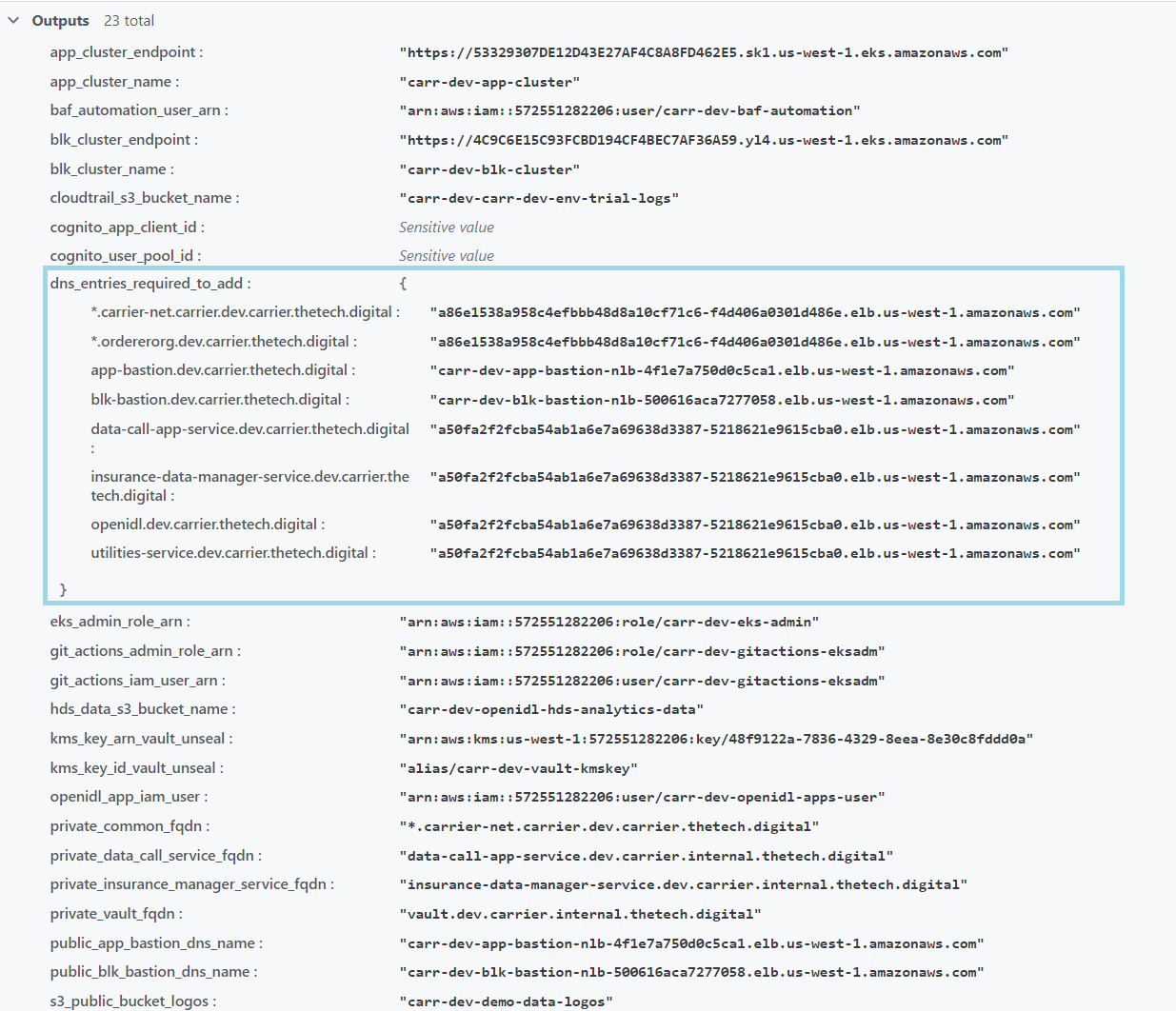
This information can be used to construct DNS CNAME or ALIAS records in the target DNS service.
4.3. Public Zone in Route 53 and served from VPC
The DNS records, including an SOA record and an NS record, are in Route 53 in the AWS account where the IaC was run.
The SOA and NS record must be ported to whatever domain registration service is used for the provided domain.
4.4. Public Zone in Route 53 and Records Published in Another Route 53 Server
These records can be pulled from the public zone created in the VPC and ported to the authoritative Route 53 location for the domain.
There is short perl script, r53-conv.pl, which will pull the records from the account where they were created and transform them into a format suitable for import into the authoritative zone via an AWS CLI route53 command.
Download r53-conv.pl